Lite Interactive
Course Platformlatest
With built-in environment isolation, course browsing, container environment startup, Shell, Code and SQL command execution, it's ready to use out of the box.
curl -fsSL https://kwdb.tech/playground.sh | bashkwdb-playground start to access in your browser.介绍 · ABOUT
What is KWDB Playground?
KWDB Playground is an open-source proxy system that helps you quickly establish a secure terminal interaction environment in your browser for teaching and demos.
Ready to Use
Provides a web terminal environment in the browser. Eliminates local complex dependencies and environment configuration, one-click to start your learning or demo journey.
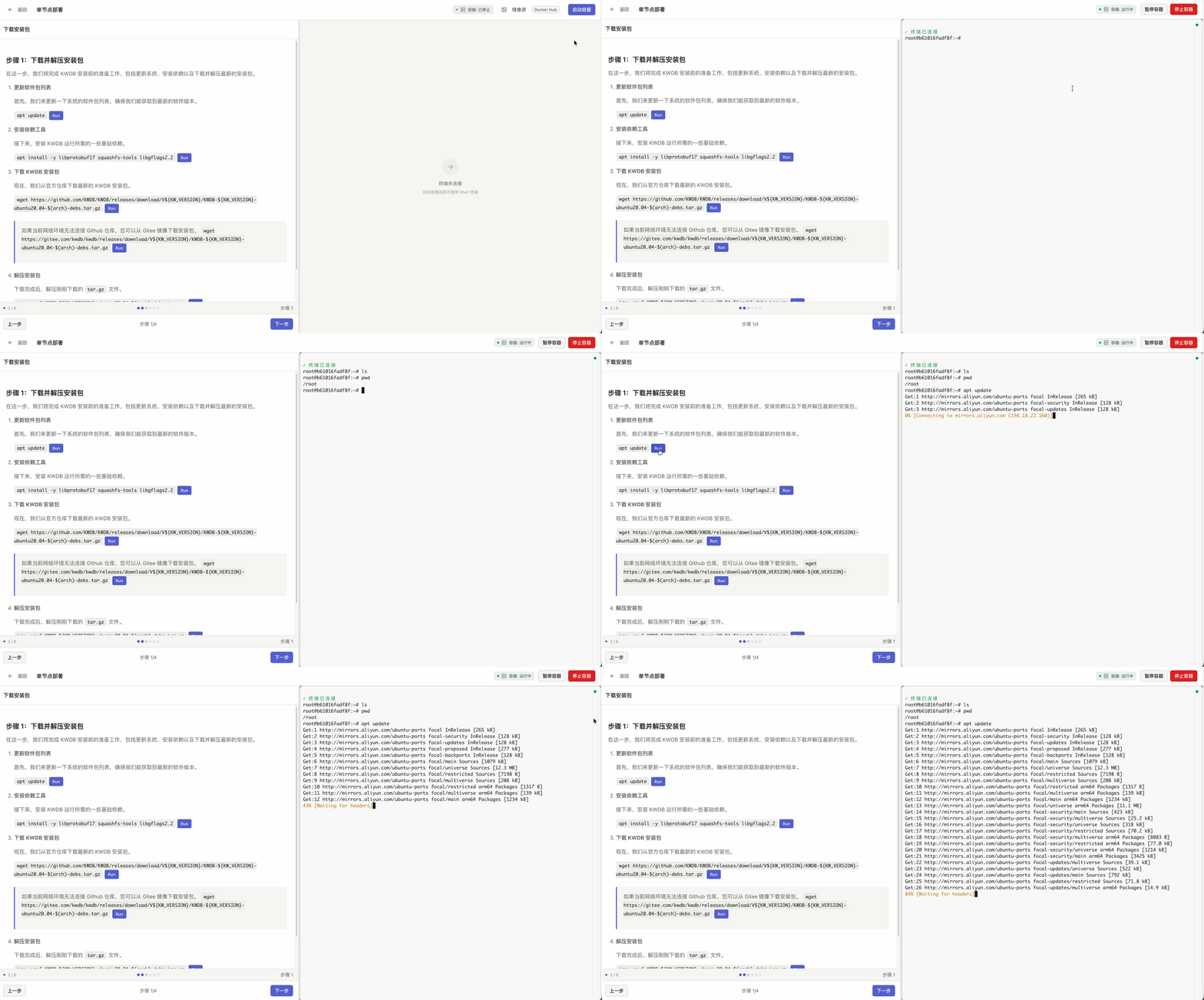
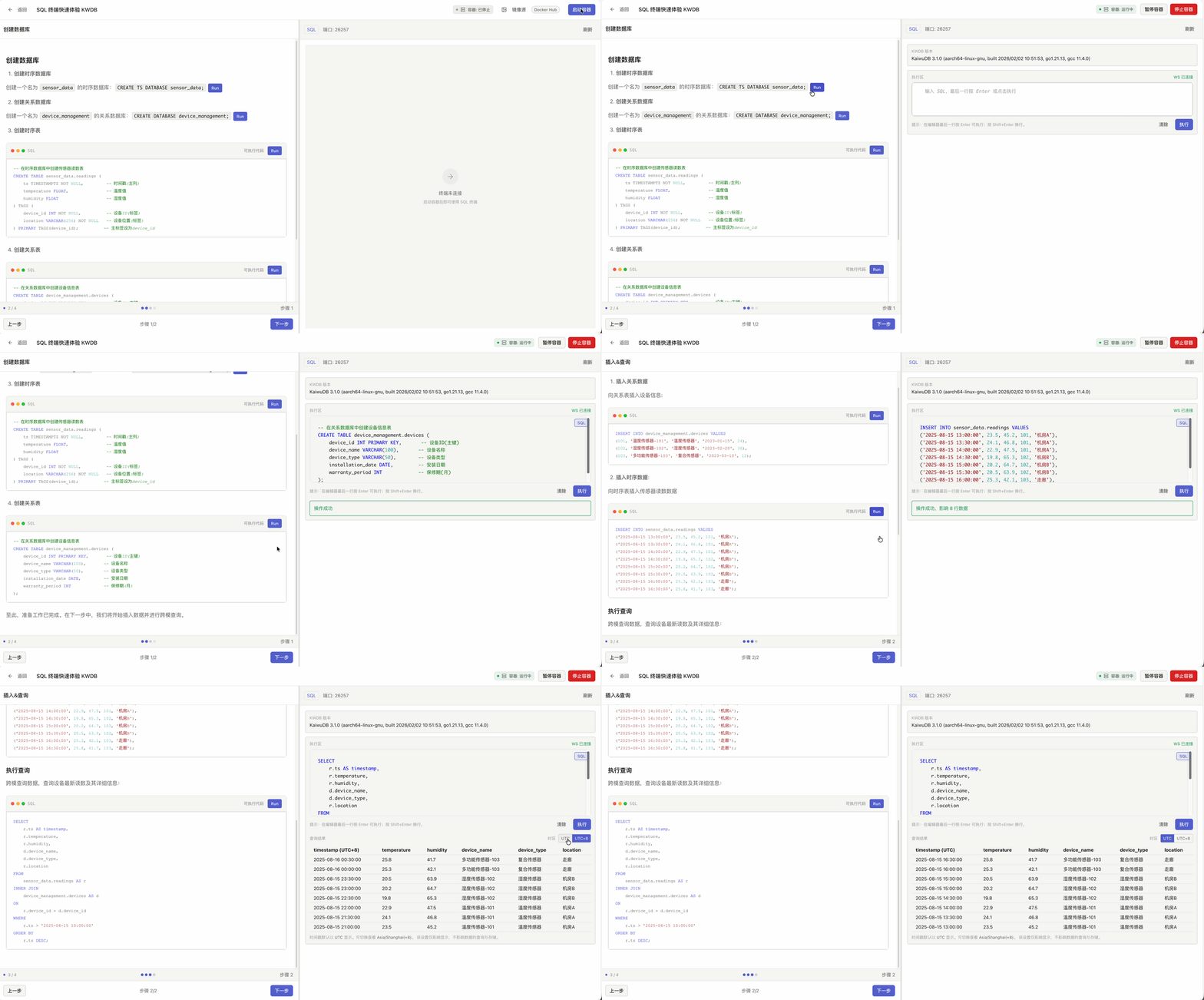
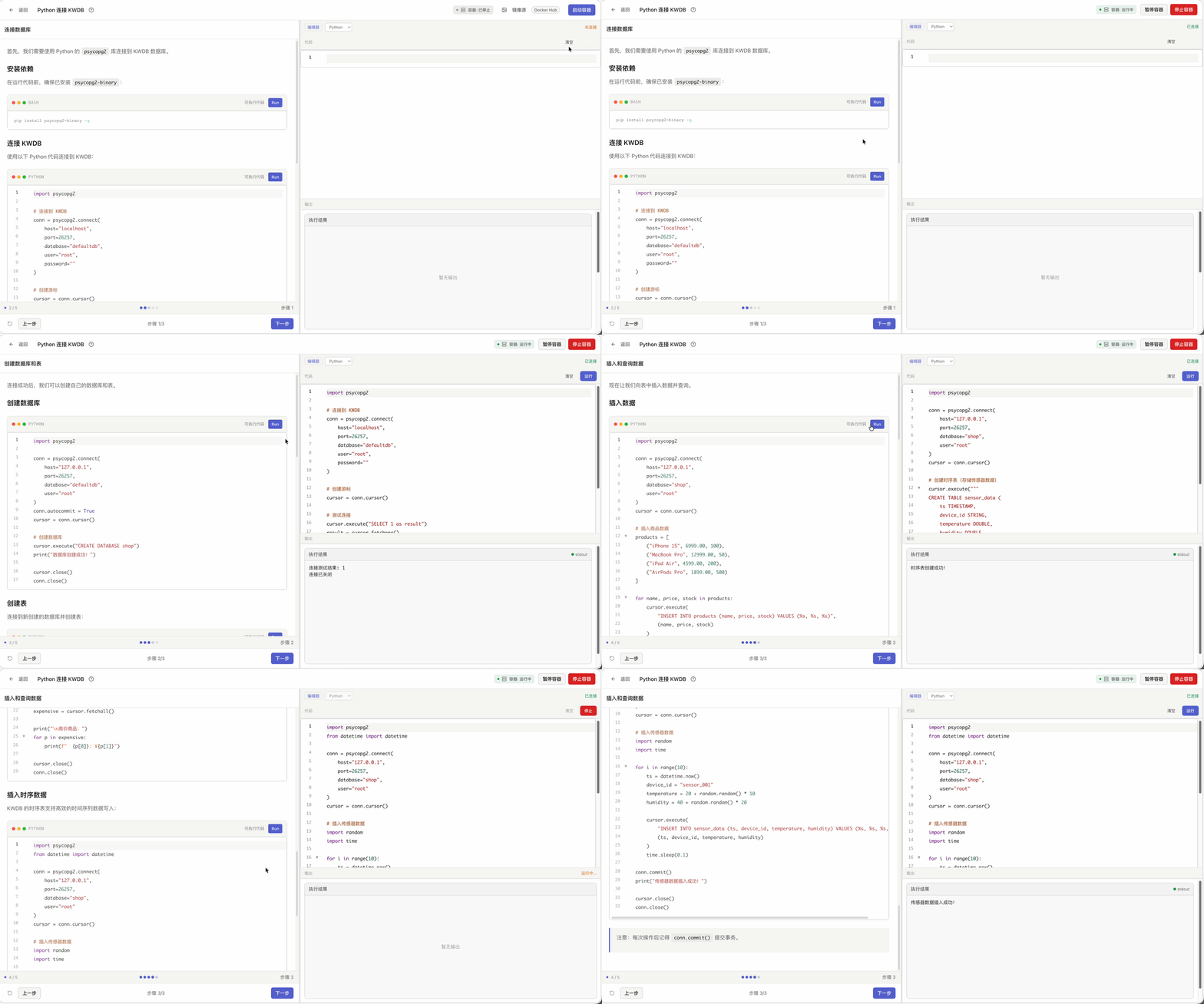
Multi-Mode Terminal Engine
For different types of course needs, it includes a full-featured Shell terminal, dedicated SQL, and Code interactive panels, with courses on the left and hands‑on practice on the right, providing a seamless experience.
Fully Isolated Environment
Based on Docker container technology. Each visitor gets an independent environment, disposed after use, completely prevents system pollution.
Multi-Session Management
Native support for saving learning progress, pause/resume environment state anytime. Even if the web page is closed unexpectedly, your experiment progress is preserved.
Smart Image Acceleration
Integrated multi-source Docker image pull strategies with built-in network connectivity testing. System automatically tests speed and selects the fastest channel to pull environments.
Cross-Platform Support
Client only needs a modern browser. Server supports lightweight deployment on macOS, Linux, and Windows.