
Quickly Set Up KWDB Development Environment on macOS Using Orbstack
This guide explains how to use Orbstack on macOS to create a one-click Ubuntu development environment suitable for KWDB source code compilation and debugging.
Orbstack
Orbstack is a powerful macOS virtual machine management tool that supports both AMD64 and ARM64 architectures. It provides a simple GUI interface for users to create, manage, and operate virtual machines. This guide uses Orbstack to create an Ubuntu 22.04 virtual machine for compiling and debugging KWDB source code.
Installation
- Visit Orbstack official website to download and install the latest version of Orbstack.
- After installation, launch Orbstack. It will automatically configure the necessary network and storage.
- Alternatively, install Orbstack using
brew install orbstack.
Cloud-init
Cloud-init is a tool for initializing Linux virtual machines. It can automatically execute a series of configuration tasks when the virtual machine starts. The KWDB community has prepared a standard configuration file kwdb.yaml that primarily completes three tasks:
- Configure Alibaba Cloud Ubuntu software repositories (compatible with both amd64 and arm64 architectures).
- Install basic dependencies required for compiling and running KWDB.
- Automatically install Go and CMake needed for compilation, and set up environment variables.
Creating KWDB Development Virtual Machine in Orbstack
Follow these steps to create a KWDB development virtual machine in Orbstack:
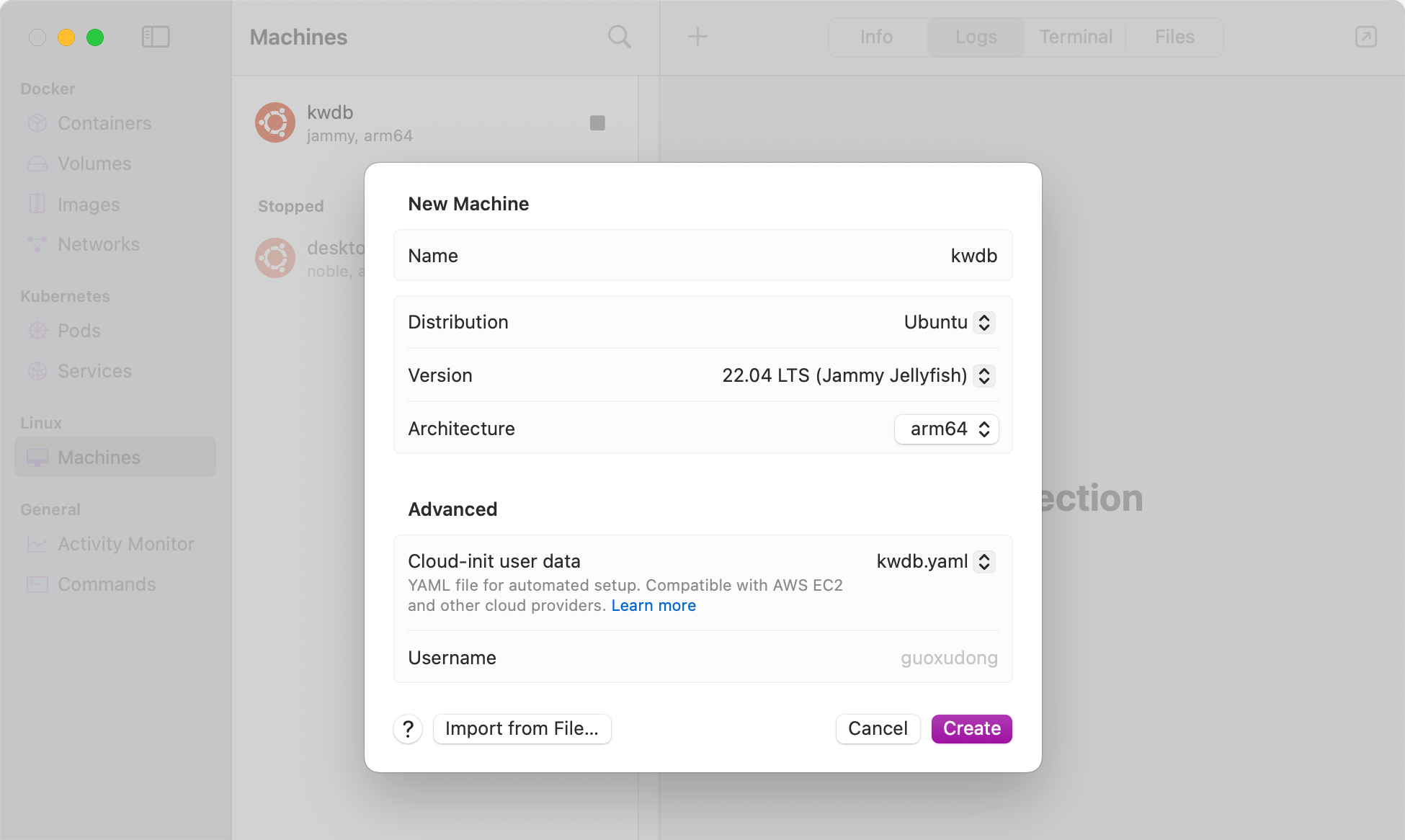
- Open Orbstack and click to create a new Linux virtual machine (select Ubuntu 22.04 LTS).
- In Advanced settings, select Cloud-init user data, then choose "Select User Data" and point to the local
kwdb.yaml. - Click
Create. On first startup, Orbstack will injectkwdb.yamlinto cloud-init, and the system will automatically:- Switch to Alibaba Cloud software repositories;
- Install all dependency packages;
- Install Go and CMake;
- Write environment variables.
- Depending on your network speed, this step may take several minutes. Once complete, the virtual machine is ready for use as a KWDB development and compilation environment.
- After the virtual machine is created and started successfully, double-click the VM icon in Orbstack to open a terminal window and log into the VM.
Compiling KWDB in VM
After entering the VM, you can refer to Compiling from Source to complete KWDB compilation and building. Here is a simple example to help you get started quickly.
Downloading KWDB Source Code
mkdir -p /home/go/src/gitee.com
# Grant permissions for all files and subdirectories under /home/go to the current user and user group
sudo chown -R $USER:$USER /home/go
git clone https://gitee.com/kwdb/kwdb.git /home/go/src/gitee.com/kwbasedb # Do not modify the directory path src/gitee.com/kwbasedb
cd /home/go/src/gitee.com/kwbasedb
git submodule update --init # For first-time code pull
git submodule update --remote
Building and Installation
Create a build directory and complete the build and installation:
cd /home/go/src/gitee.com/kwbasedb
mkdir build && cd build
# Run cmake configuration
cmake .. -DCMAKE_BUILD_TYPE=Debug
# Build and install
make
make install
Configuring VS Code Remote Debugging
Users can directly configure remote debugging in VS Code to connect to the virtual machine in Orbstack for debugging.
- Install VS Code extension: "Remote - SSH".
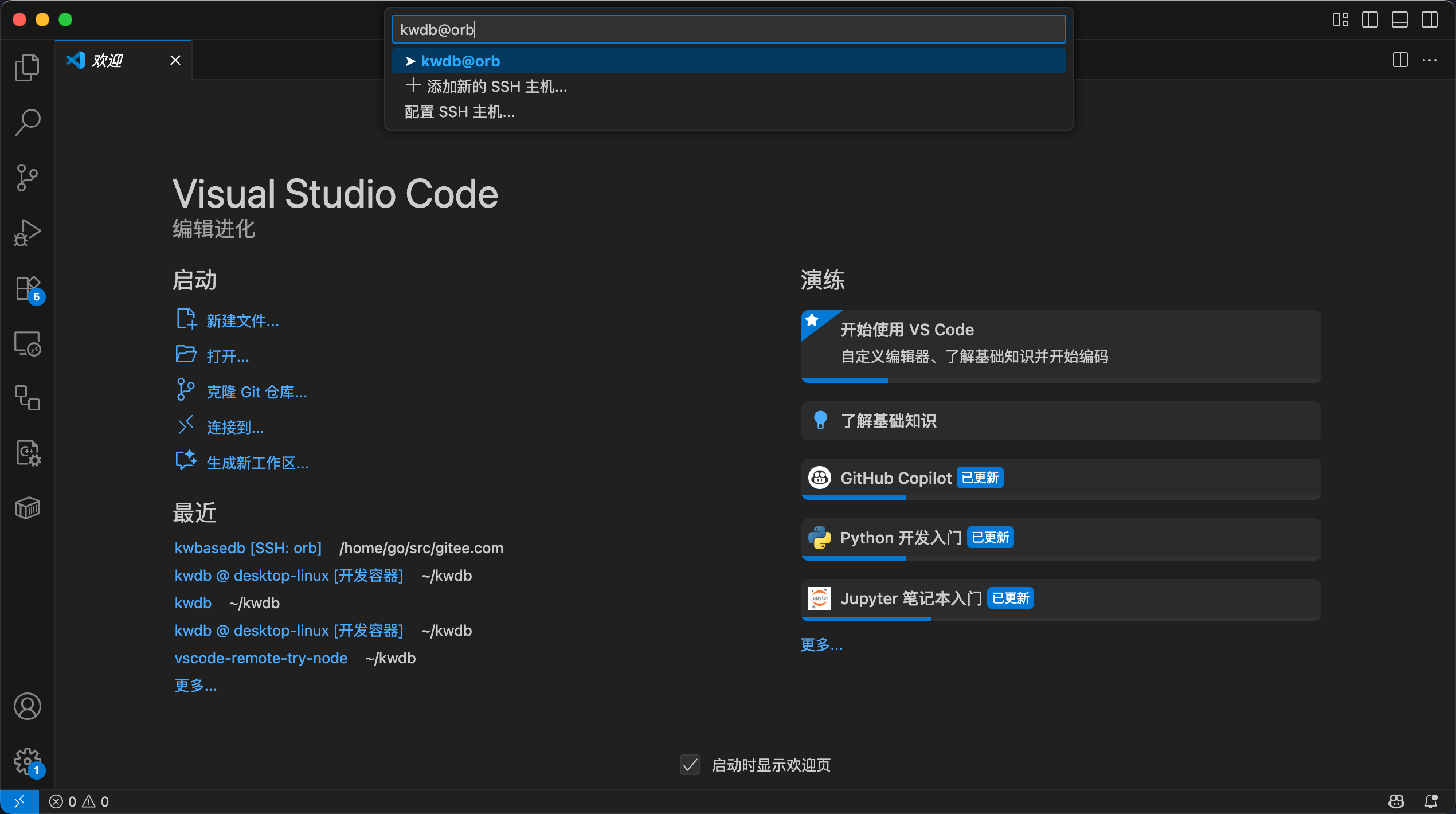
- Open VS Code and click the double arrow icon in the bottom left corner.
- Select "Remote SSH" and enter the SSH connection information for the VM in Orbstack (
hostname@orb. If your created VM is the default virtual machine, you can directly useorb). - After pressing Enter, VS Code will automatically connect to the virtual machine in Orbstack.
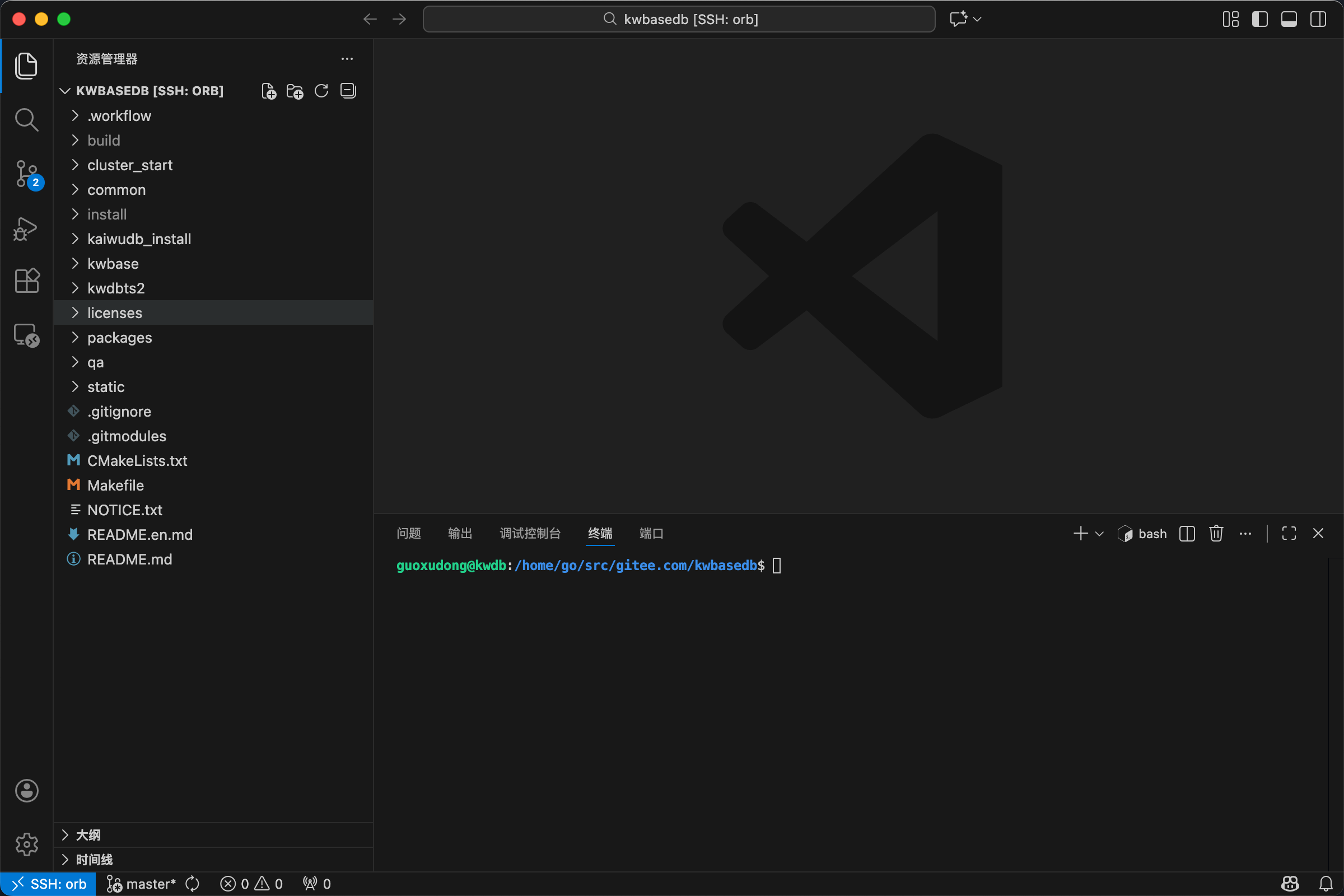
- Open the KWDB project directory in VS Code (
/home/go/src/gitee.com/kwbasedb) to start debugging.
Summary
Using Orbstack + cloud-init, the environment preparation process that previously required multiple manual steps (configuring repositories, installing dependencies, deploying Go/CMake, setting environment variables) can be solidified into a single YAML file, enabling:
- One configuration, multiple reuse: Share the same KWDB development environment template across multiple Macs or among multiple developers.
- Auditable and versioned environment configuration: Store
kwdb.yamlin a repository and use Git to track environment changes. - Architecture friendly: Automatically adapts to x86_64 / arm64, allowing Apple Silicon users to use it directly.
If KWDB's compilation dependencies or recommended toolchain are updated in the future, simply modify kwdb.yaml and recreate the VM to get the latest development environment.